Queue management app solutions are now essential for any service business that handles walk-ins, appointments, or scheduled visits. A queue management app replaces paper tokens and manual waiting room chaos with a digital system that tracks every customer in real time.
Key takeaways
- A queue management app tracks customers from check-in to service completion.
- Real-time queue status reduces perceived and actual waiting time.
- Staff can manage service order without printing or calling customers manually.
- The best queue management apps integrate booking, tokens, delays, and notifications in one place.
Why queue management matters more than ever
Customers today expect transparency. They want to know how long they will wait, when their turn is coming, and whether they can arrive just in time instead of sitting in a crowded waiting room. A queue management app delivers all of this through a smartphone screen.
For businesses, the problem is not just customer satisfaction. Unmanaged queues create confusion at the front desk, staff lose track of who is next, and walk-in customers leave because they cannot see how long the wait will be. A queue management app solves these operational problems while also improving the customer experience.
The Indian market in particular has seen rapid adoption. Salons in Jodhpur, dental clinics in Mumbai, diagnostic labs in Delhi, and hospital OPDs across Rajasthan are all moving to digital queue systems. The reason is simple: a queue management app costs a fraction of what a physical waiting room upgrade would cost, and it delivers far more value.
What to look for in a queue management app
Not every app that calls itself a queue management tool actually handles the full workflow. Here are the features that matter most:
Real-time queue tracking. Customers should see their position in the queue, estimated wait time, and how many people are ahead of them. This is the core feature that distinguishes a proper queue management app from a simple booking calendar.
Service-specific slot booking. A haircut takes 30 minutes; a dental consultation takes 15. The app should let providers define service durations and block slots accordingly. Generic time-slot booking does not work for real service businesses.
Token system with running updates. When a provider marks a customer as being served, the next person should automatically get a notification. When a provider is running late, the estimated wait times for everyone behind should update in real time.
Staff access control. Different staff members should see only their own queue and their own schedule. A receptionist needs a different view than a stylist or a doctor. Role-based access is critical.
Analytics and reporting. You need to know peak hours, average service times, no-show rates, and how long customers actually waited. This data drives better scheduling decisions.
How SWIQ handles real queue problems
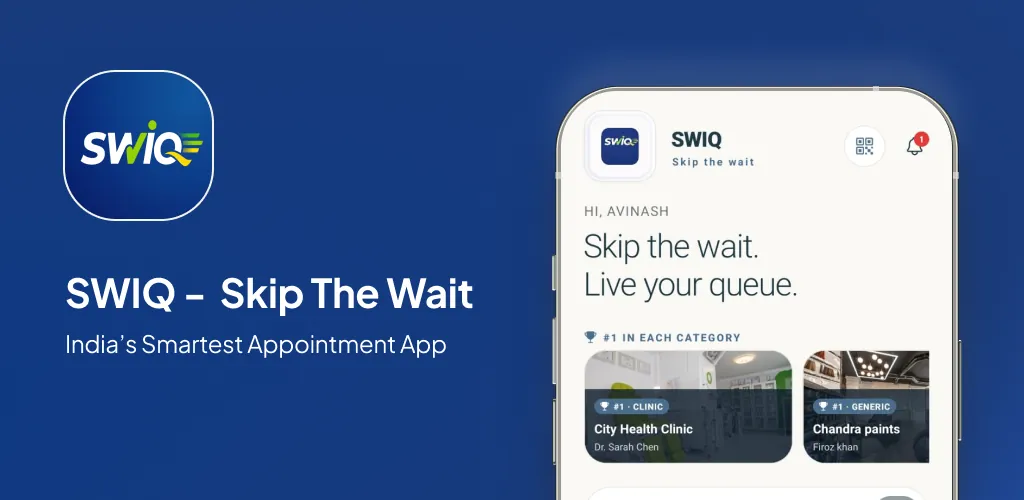
SWIQ was built specifically for service businesses in India. It combines appointment booking, queue management, and live tracking into a single app. Here is how it addresses the most common queue challenges:
QR code check-in. Customers scan a QR code at your location to join the queue instantly. No app download required. The QR code opens a web page where they can see their position and estimated wait time.
Live token display. The staff dashboard shows the current queue in real time. Each customer has a token number, service type, and estimated completion time. One tap marks a customer as being served or completed.
Delay notifications. When a provider is running 10 minutes late, SWIQ automatically sends a notification to every customer waiting behind them. No more front-desk staff answering the same question 50 times.
Walk-in management. Not every customer books online. SWIQ lets walk-ins join the queue through the QR code, and the system automatically slots them into the queue based on availability.
Who should use this guide and what decision are they making?
This guide is for business owners, clinic managers, salon operators, and operations teams who are evaluating queue management software. You are likely comparing multiple products, checking pricing, and trying to figure out which app fits your workflow.
The decision is not just about features. It is about whether the software matches your actual daily operations. A queue management app that looks good in a demo but cannot handle walk-ins alongside appointments will create more problems than it solves.
Capacity planning comes before opening slots
Before you open your schedule for booking, you need to know your real capacity. How many customers can each staff member serve per hour? What is the average service duration? How many walk-ins do you typically get during peak hours?
A queue management app is only as good as the capacity data you feed it. If you set slots based on optimistic estimates, your queue will overrun every day. If you set them based on real historical data, the queue flows smoothly.
SWIQ helps you track actual service times over weeks and months. This data lets you adjust capacity realistically instead of guessing.
Design the complete customer journey, not just the calendar
The queue experience starts before the customer arrives. It begins with booking, continues with a confirmation notification, includes pre-arrival reminders, handles check-in at the door, tracks live queue position, and ends with a completion notification.
A queue management app should handle every stage of this journey. If you have a booking system for scheduling but a separate paper system for queue management, you have a gap. The customer who booked online still has to stand in line and guess when their turn will come.
SWIQ connects booking to queue to completion in one flow. The customer books a slot, gets a token, sees their live position, receives delay updates, and gets notified when it is their turn — all without any manual intervention from staff.
Build a daily operating workflow staff can maintain
The most common failure in queue management is not technology — it is workflow. If the system requires staff to manually update statuses, they will eventually stop doing it. The queue management app you choose must have a workflow that staff can follow without thinking.
SWIQ's staff dashboard is designed for one-tap operations. Mark a customer as "being served" with one tap. Mark them as "completed" with another. The system handles notifications, queue reordering, and wait time calculations automatically.
The front desk should be able to see the entire queue at a glance. Each provider should see only their own queue. This role-based view keeps the interface simple and prevents confusion.
Make delays visible, accurate, and useful
Delays happen. The question is whether your queue management app handles them gracefully or lets them cascade into chaos. When a provider is running late, every customer behind them needs to know immediately.
SWIQ tracks running delays in real time. If the first customer takes 10 minutes longer than expected, the estimated wait time for every subsequent customer updates automatically. Customers receive push notifications with their updated wait time.
This transparency builds trust. Customers do not mind waiting if they know exactly how long the wait will be. What they hate is sitting in a waiting room with no idea when their turn will come.
Use notifications as service updates, not noise
Every notification should deliver actionable information. "Your turn is in 15 minutes" is useful. "You have been added to the queue" is noise. A good queue management app sends notifications only when the customer needs to take action or when their status changes meaningfully.
SWIQ sends three types of queue notifications: confirmation when a customer joins the queue, delay updates when wait times change, and turn arrival when the customer's name is called. Each notification includes the customer's token number and estimated wait time.
Protect privacy and account access by design
Queue management involves customer data — names, phone numbers, service history, and sometimes medical information. Your queue management app must handle this data securely.
SWIQ stores data on encrypted servers, does not share customer information with third parties, and gives business owners full control over their data. Customers can see only their own queue position and booking details. Staff members see only the information relevant to their role.
A practical implementation and migration plan
Moving from a manual queue system to a queue management app does not have to be disruptive. Here is a phased approach:
Week 1: Set up your account, define services and durations, add staff members, and configure queue rules. Test with internal team members.
Week 2: Run the queue management app alongside your existing system. Compare results. Identify any workflow gaps.
Week 3: Switch fully to the digital queue. Train staff on the dashboard. Place QR codes at your entrance.
Week 4: Review analytics. Adjust service durations based on actual data. Optimize capacity settings.
Measure outcomes that reflect real service quality
A queue management app should help you measure what matters: average customer wait time, service completion time, no-show rate, and customer return rate. These metrics tell you whether your queue system is actually improving operations.
SWIQ provides a built-in analytics dashboard that tracks all of these metrics. You can filter by date range, staff member, service type, and branch location. This data helps you make informed decisions about staffing, scheduling, and capacity.
Common mistakes and how to avoid them
Mistake 1: Setting optimistic slot durations. If a service actually takes 25 minutes but you book 15-minute slots, your queue will overrun by noon. Use real service time data, not aspirational targets.
Mistake 2: Not training front-desk staff. The queue management app is only useful if staff actually update customer statuses. Spend time training your team on the dashboard workflow.
Mistake 3: Ignoring walk-ins. If your queue system only handles online bookings, walk-in customers will still disrupt the flow. Choose a queue management app that handles both.
Mistake 4: Not reviewing analytics. The data your queue management app generates is valuable — but only if you actually look at it. Review your queue analytics weekly to identify bottlenecks and optimize.
How to compare products and vendors
When evaluating queue management apps, focus on these criteria:
Ease of setup. How quickly can you go from signup to live queue? SWIQ lets you set up a queue in under 10 minutes.
Walk-in support. Does the app handle walk-in customers alongside online bookings? Many queue management tools only handle one or the other.
Real-time tracking. Does the customer see their live queue position? Does the staff dashboard update in real time? If the answer to either is no, keep looking.
Pricing transparency. Some queue management apps charge per-seat, per-transaction, or per-feature. SWIQ offers flat monthly pricing with no hidden costs.
Offline reliability. What happens if your internet drops? SWIQ works on mobile data and caches queue data locally.
A realistic first 30 days
Day 1-3: Set up your account, add services, configure durations, and add staff. Day 4-7: Test with a small group of customers. Day 8-14: Run full operations and identify issues. Day 15-21: Adjust capacity, optimize scheduling, and train any staff who need help. Day 22-30: Review analytics, compare with your previous system, and plan improvements.
The goal is not perfection on day one. The goal is a queue system that improves every week as you gather more data and refine your workflow.
Practical next step: map your real availability, booking, walk-in, delay, and staff workflow before choosing software. Technology should simplify that flow rather than force every business into the same calendar.
Useful official resource
For additional context, read SWIQ product features. External references are selected to help readers verify platform, policy, or public digital-service information relevant to this guide.
Frequently asked questions
What is a queue management app?
A queue management app is a mobile or web application that helps businesses manage customer queues, appointments, and wait times digitally. It replaces paper tokens and physical waiting rooms with real-time queue tracking.
Who needs a queue management app?
Any service business that handles walk-ins or appointments benefits from a queue management app — salons, clinics, dental offices, spas, diagnostic labs, banks, and government service centers.
How does a queue management app reduce waiting time?
Queue management apps show real-time wait times, let customers book specific time slots, send notifications when their turn approaches, and allow staff to manage service order efficiently.
Is a queue management app better than a physical token system?
Yes. A digital queue management app provides real-time tracking, remote access, automated reminders, data analytics, and integrates with booking systems — features a physical token system cannot offer.
Can SWIQ handle queue management for my business?
Yes. SWIQ combines provider-controlled availability, QR code booking, live tokens, running delay updates, notifications, staff access, and enterprise dashboards in one app.
See SWIQ in action
Explore provider-controlled availability, QR booking, live tokens, delay tracking, staff access, and enterprise dashboards.
Launch the SWIQ web app