Queue guide
How to Reduce Patient Waiting Time in Hospitals & Clinics
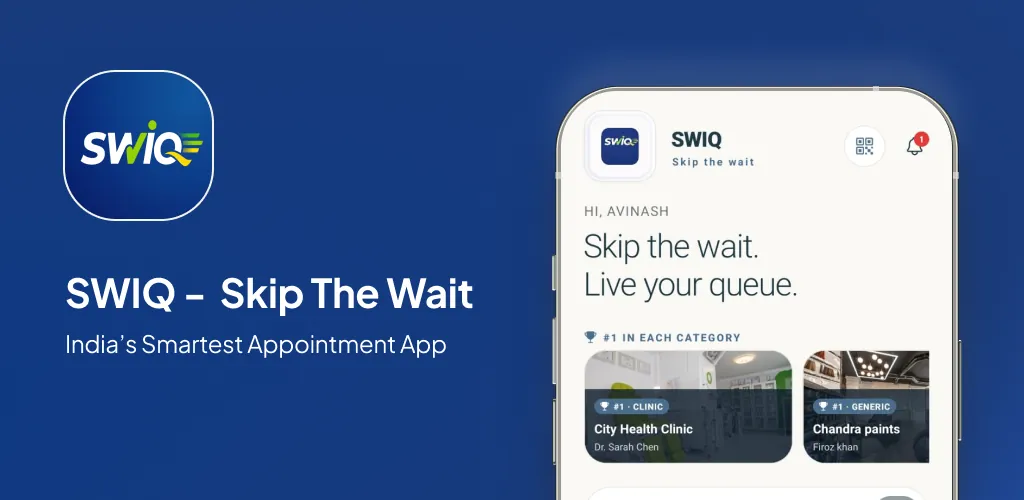
Indian patients spend an average of 30-60 minutes waiting for a 10-minute consultation. Here's how leading clinics cut wait times by 50%+ using appointment scheduling, live queue tracking, and digital token systems.
Why patient waiting time matters
Long waits are the #1 complaint in Indian healthcare. They drive:
- Patient dissatisfaction — 68% of patients rate clinics poorly due to wait times
- No-shows and walk-outs — 15-20% of patients leave without being seen
- Infection risk — Crowded waiting rooms spread airborne illnesses
- Staff burnout — Reception teams handle constant "doctor kab aayenge?" queries
7 proven strategies to reduce patient waiting time
1. Move from open calendars to controlled availability
The biggest cause of long waits? Overbooking. Most Indian clinics still use "open all day" calendars where patients book any 10-minute slot, creating unpredictable rushes.
Fix: Publish availability in 2-hour blocks with buffer slots. SWIQ lets doctors open only the dates and shifts they can actually serve — no fake 30-day calendars.
2. Implement appointment booking with exact time slots
Vague "morning/afternoon" slots cause bunching. Patients arrive at 9 AM for a "morning" slot, creating a 2-hour queue.
Fix: Exact slot booking (e.g., 9:30, 9:45, 10:00). Patients arrive 5 minutes before their slot. SWIQ enforces this by showing only provider-published slots.
3. Use a digital token system for walk-ins
Walk-ins will always exist. The question is how you manage them.
Fix: QR code at reception → patient scans → gets digital token #B12 → sees live position on phone. No paper tokens, no crowding at the counter. SWIQ handles booked + walk-in patients in one unified queue.
4. Show live queue status to patients before they arrive
Patients who know the doctor is running 20 minutes late will leave home later. Those who don't know arrive early and wait.
Fix: Live token tracking with delay clock. SWIQ shows: "Currently serving #B10. Your token #B12. Estimated wait: 8 minutes. Doctor running 5 min late."
5. Separate consultation types by duration
New patient consultations take 20 minutes. Follow-ups take 8. Mixing them in 10-minute slots guarantees delays.
Fix: Service-specific durations. SWIQ lets you define: "New patient = 20 min", "Follow-up = 10 min", "Vaccination = 5 min". The queue math stays accurate.
6. Add buffer slots for overruns
Even with perfect planning, complex cases overrun. Without buffers, every overrun cascades into the next 5 patients.
Fix: One 15-minute buffer every 2 hours. SWIQ's availability editor makes this a one-click setup.
7. Track and analyze wait time data
You can't improve what you don't measure. Most clinics have zero data on actual vs scheduled wait times.
Fix: SWIQ's analytics dashboard shows: average wait per doctor, peak congestion hours, no-show rates by slot type, and completed vs scheduled duration.
Real results from Indian clinics using SWIQ
Implementation checklist for your clinic
- Audit current average wait time (measure for 1 week)
- Define consultation types and durations
- Set up SWIQ provider profile (free trial available)
- Configure availability: publish only real dates/shifts
- Print QR code for reception walk-ins
- Train front desk on dashboard: call, pause, skip, complete
- Monitor analytics weekly; adjust buffers and durations
Common mistakes to avoid
- Opening 30-day calendars — leads to ghost bookings and no-shows
- Same duration for all appointments — new patients need 2-3x follow-up time
- No walk-in system — paper tokens create confusion and crowding
- Not showing delay status — patients assume "on time" and arrive early
- Ignoring no-show data — track and adjust overbooking by doctor/slot
FAQ
- Does SWIQ work for multi-doctor clinics?
- Yes. Each doctor gets separate availability, queue, and analytics. Reception sees combined view.
- Can patients book without the app?
- Yes. QR code or provider code opens a mobile web booking page. No download required.
- What about elderly patients who can't use smartphones?
- Reception can accompany them. They get a printed token with their number. The display screen in the waiting room shows live tokens.
- How does SWIQ handle emergencies?
- Emergency slots can be inserted instantly. The dashboard shows "Urgent" badge and bumps non-urgent tokens with a notification.
- Is there a free trial?
- Yes, 7-day free trial with full features. No credit card required.
Ready to cut wait times in your clinic?
Start free 7-day trial. Setup in 5 minutes. Zero commission.