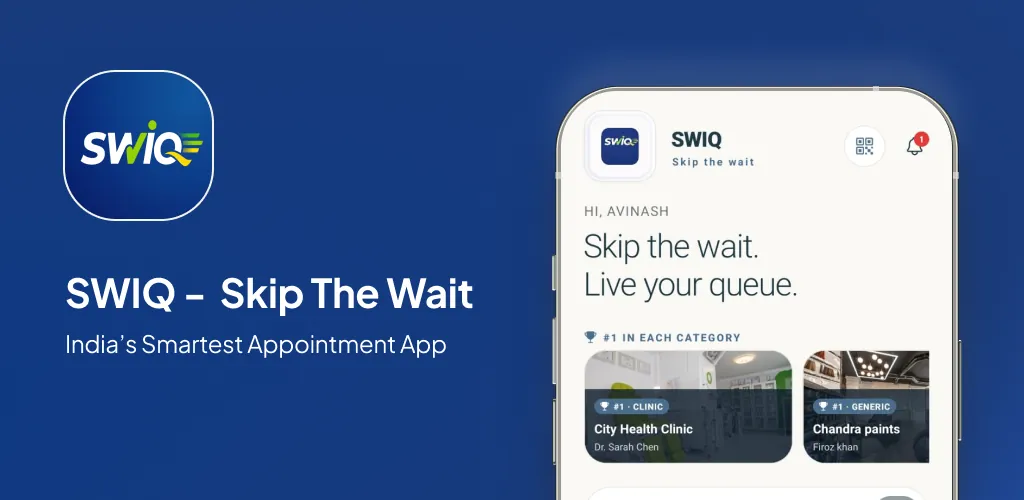
Virtual queuing app solutions let customers wait remotely instead of sitting in a physical waiting room. Customers join the queue, see their position, and receive notifications — all from their phone. They arrive only when their turn is near.
Key takeaways
- Virtual queuing lets customers wait remotely, reducing crowding and improving satisfaction.
- QR code check-in means no app download — customers join from their browser.
- Real-time queue position and delay notifications keep customers informed.
- The best virtual queuing apps handle both appointments and walk-in customers.
What is virtual queuing
Virtual queuing replaces the physical act of standing in line with a digital queue. Customers check in — through an app, a QR code, or a web page — and receive a position in the queue. They can then wait wherever they choose while receiving real-time updates on their queue status.
The concept is simple but powerful. Instead of wasting 30 minutes in a waiting room, the customer waits 5 minutes nearby and walks in exactly when their turn arrives. The business eliminates crowding, reduces overhead, and improves the customer experience.
Why virtual queuing matters for service businesses
Service businesses lose customers when the waiting room is full. A virtual queuing app solves this by extending the waiting room beyond physical walls. Customers who would have left because of the crowd can now join the queue remotely and return when their turn is near.
Virtual queuing also reduces no-shows. When customers know exactly when their turn will come, they are less likely to abandon the queue. The transparency builds trust and improves attendance rates.
For multi-provider businesses, virtual queuing eliminates the confusion of managing multiple physical queues. Each provider gets a digital queue that updates in real time, and the front desk sees the entire operation on one screen.
How SWIQ handles virtual queuing
QR code check-in. Customers scan a QR code to join the virtual queue instantly. No app download. No registration. Just scan and join.
Live queue position. Customers see their token number, estimated wait time, and how many people are ahead of them — all updated in real time.
Delay notifications. When a provider runs late, every customer in the queue gets an updated wait time. The notification is automatic — no staff intervention required.
Unified appointment and walk-in queue. SWIQ manages a single virtual queue that handles both online bookings and walk-in customers. No separate systems.
Who should use this guide
This guide is for business owners and operations managers evaluating virtual queuing solutions. You want to understand how virtual queuing works, what features matter, and how to implement it.
Capacity planning comes first
A virtual queuing app is only as good as your capacity settings. Map your real capacity before opening your queue for booking.
Design the complete customer journey
The virtual queuing experience includes booking or QR scan, queue tracking, delay notifications, turn alerts, and service completion. The best virtual queuing apps handle every stage.
Build a daily operating workflow
Staff workflow must be simple. One-tap status updates, clear queue display, and role-based views keep operations smooth.
Make delays visible and useful
Delays are inevitable. A good virtual queuing app handles them by automatically updating wait times and sending notifications when status changes.
Smart notification strategy
Every notification should deliver actionable information — queue confirmation, delay update, or turn arrival.
Protect privacy by design
Virtual queuing involves customer data. Your virtual queuing app must handle this data securely with encrypted storage and role-based access.
A practical implementation plan
Week 1: Set up your account. Week 2: Test with internal team. Week 3: Deploy QR codes and go live. Week 4: Review and optimize.
Measure outcomes that matter
Track average wait time, customer satisfaction, queue flow, and no-show rate to measure virtual queuing impact.
Common mistakes
Mistake 1: Not training staff. Mistake 2: Ignoring walk-in handling. Mistake 3: Setting optimistic slot durations. Mistake 4: Not reviewing analytics.
Virtual vs. physical queues
Physical queues waste customer time and require expensive waiting room space. Virtual queues let customers wait remotely, reduce overhead, and improve satisfaction. The transition is simple — scan a QR code instead of standing in line.
A realistic first 30 days
Days 1-3: Setup. Days 4-7: Testing. Days 8-14: Live operations. Days 15-21: Adjustments. Days 22-30: Review and optimize.
Practical next step: map your real availability, booking, walk-in, delay, and staff workflow before choosing software. Technology should simplify that flow rather than force every business into the same calendar.
Useful official resource
For additional context, read SWIQ product features. External references are selected to help readers verify platform, policy, or public digital-service information relevant to this guide.
Frequently asked questions
What is a virtual queuing app?
A virtual queuing app lets customers join a queue remotely and wait from anywhere — their home, car, or a nearby cafe. They receive real-time updates on their queue position and are notified when their turn arrives.
How does a virtual queue differ from a physical queue?
A physical queue requires customers to stand in line at the location. A virtual queue lets customers wait remotely while still holding their position. They arrive only when their turn is near.
Can virtual queuing handle walk-in customers?
Yes. Walk-in customers can join a virtual queue by scanning a QR code at your location. They then wait remotely like any other queued customer.
What businesses benefit most from virtual queuing?
Service businesses with peak-hour congestion benefit most — salons, clinics, dental offices, diagnostic labs, banks, and government service centers.
Is a virtual queuing app expensive?
SWIQ offers a free plan with core virtual queuing features. Paid plans add advanced analytics, multi-branch support, and enterprise dashboards at flat monthly rates.
See SWIQ in action
Explore provider-controlled availability, QR booking, live tokens, delay tracking, staff access, and enterprise dashboards.
Launch the SWIQ web app