
Tattoo studio booking is increasingly important for studios that want to manage consultations, multi-session projects, and artist schedules without double-booking conflicts. Tattoo work has unique scheduling demands — consultations are short, sessions can run four or more hours, and large projects span multiple visits. This guide covers practical steps to set up a booking system that handles these complexities.
Key takeaways
- Separate consultation and session booking types for accurate scheduling.
- Track multi-session projects with healing time buffers between visits.
- Coordinate multiple artists with different specialties and equipment needs.
- Use deposits and confirmation workflows to reduce no-shows for long sessions.
Why tattoo studios need specialized booking
Tattoo studios manage two fundamentally different appointment types. Consultations typically last 30 to 60 minutes and involve discussing design ideas, reviewing placement, and agreeing on pricing. Actual tattoo sessions can last anywhere from one hour for small pieces to eight hours or more for full sleeves. General booking tools that offer a single appointment duration cannot accommodate this range.
Without specialized booking, studios often end up with consultations booked into slots that are too short for the session that follows, or long sessions scheduled back-to-back without recovery time for the artist. A booking app that distinguishes between appointment types and assigns appropriate durations prevents these conflicts before they happen.
Managing multi-session tattoo projects
Large tattoos — full back pieces, sleeves, chest panels — require multiple sessions spread weeks apart to allow healing. Each session builds on the previous one, and the artist needs to review the client's healing progress before scheduling the next appointment. General booking tools have no way to track this progression.
A tattoo studio booking app tracks each session within a project, recording which sessions have been completed and automatically scheduling follow-up appointments with appropriate healing time between sessions. The system prevents scheduling the next session before the minimum healing period has passed, protecting both the client's skin and the quality of the finished work.
Artists and clients can see the full project timeline at a glance, including which sessions remain, estimated completion dates, and any design adjustments needed between visits.
Artist schedule coordination
Most studios have multiple artists, each with different specialties, equipment preferences, and working hours. A realism artist needs different setup time than a traditional flash artist. Booking software must account for these differences by letting each artist define their own availability, preferred session lengths, and equipment requirements.
When a client books, the system shows only the slots where the specific artist is available for the full session duration, including setup and breakdown time. This prevents the common scenario where an artist is booked for a six-hour sleeve session but the calendar shows them available at the four-hour mark because the booking system did not account for the full duration.
Shared studio resources like specific machines, ink collections, or private rooms can also be tracked to prevent double-booking equipment that does not exist in duplicate.
Reducing no-shows for long sessions
A no-show for a four-hour tattoo session costs the artist hundreds of dollars in lost income and blocks the slot from other clients. Deposits are standard practice in the tattoo industry, but managing them manually creates administrative overhead. Booking software that collects deposits at the time of booking, sends confirmation requests before the session, and requires client acknowledgment reduces no-shows significantly.
Automated reminders at 48 hours and 2 hours before the session give clients a chance to reschedule if needed, freeing the slot for another client. The system should also require clients to confirm their appointment by responding to a message, which signals genuine intent to attend.
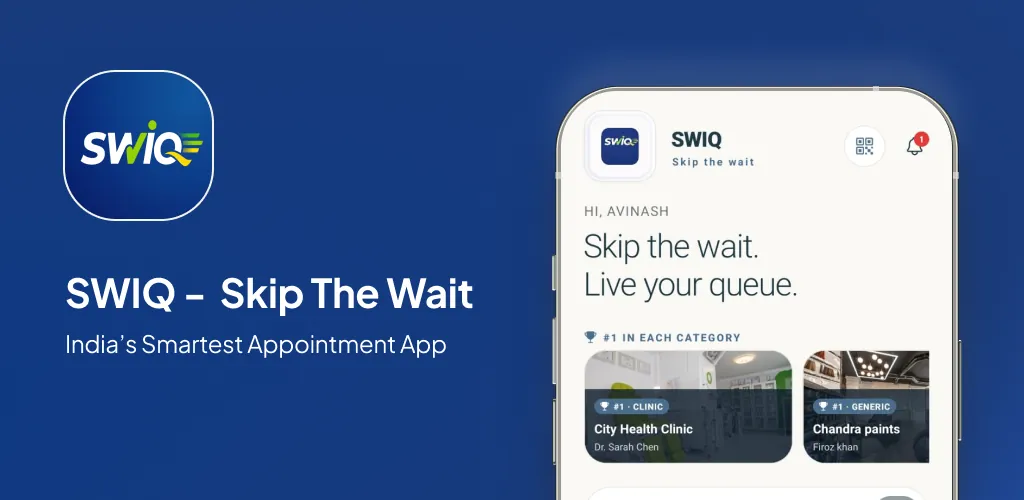
For studios using SWIQ, combining deposits with live queue updates means clients see exactly when their session fits into the artist's day, reducing confusion about timing and arrival expectations.
Practical next step: map your current consultation and session workflow, identify where scheduling conflicts occur, and test a booking system that handles both short consultations and long tattoo sessions.
Frequently asked questions
Why do tattoo studios need specialized booking?
Tattoo studios handle two distinct appointment types: consultations for design planning and actual tattoo sessions that can last several hours. General booking tools don't distinguish between these, leading to overbooking. A specialized app manages different durations, tracks which artist handles each session, and prevents conflicts across multiple ongoing projects.
How does it handle multi-session projects?
The app tracks each session within a project, recording which sessions have been completed and automatically scheduling follow-up appointments with appropriate healing time between sessions. Artists and clients can see the full project timeline, and the system prevents scheduling the next session before the minimum healing period has passed.
Can customers book consultations online?
Yes. Clients can select a consultation slot where they discuss their idea with the artist, review placement, and plan the design. The booking system shows only the artist's available consultation windows, and after the meeting the artist can convert it into a session booking directly from the app.
See SWIQ in action
Explore provider-controlled availability, QR booking, live tokens, delay tracking, staff access, and enterprise dashboards.
Launch the SWIQ web app