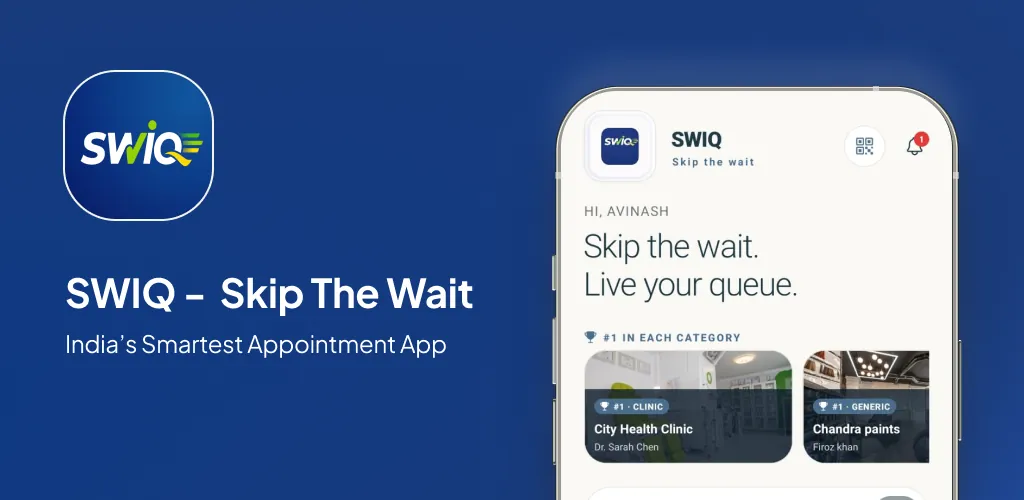
Queue management application solutions replace paper tokens, physical waiting rooms, and manual queue management with a digital system. Instead of printing a number and calling names, a queue management application handles everything from customer check-in to service completion.
Key takeaways
- A queue management application handles the full queue lifecycle — check-in to completion.
- Real-time tracking and automated notifications replace manual announcements.
- Walk-in handling is essential for service businesses with unpredictable foot traffic.
- Analytics from the application drive better scheduling and staffing decisions.
What a queue management application replaces
Manual queue management involves paper tokens, printed lists, verbal announcements, and front-desk staff tracking who is next. This system breaks down during peak hours, loses customers when the waiting room fills, and provides zero data for business decisions.
A queue management application replaces every component. Paper tokens become digital. Printed lists become real-time dashboards. Verbal announcements become automated push notifications. Front-desk staff focus on service instead of queue management.
The transition is simple. Most queue management applications can be set up in under 10 minutes. The ROI is immediate — fewer lost customers, less staff time managing queues, and real data for business decisions.
Core features that matter
Real-time queue tracking. Customers see their position, estimated wait time, and how many people are ahead of them. This is the core feature that distinguishes a proper queue management application from a basic booking calendar.
Service-specific slot booking. Different services take different amounts of time. The application should let providers define service durations and block slots accordingly.
Walk-in handling. Not every customer books online. The application should let walk-ins join the queue through QR codes or front-desk check-in.
Staff dashboard. Staff need a real-time view of the queue with one-tap status updates. The dashboard should support role-based access so each provider sees only their own queue.
How SWIQ delivers queue management
QR code check-in. Customers scan a QR code to join the queue instantly. No app download. No registration.
Live queue display. The staff dashboard shows every customer in real time. One tap marks a customer as being served or completed.
Delay notifications. When a provider runs late, every customer in the queue gets an updated wait time automatically.
Analytics. Track service times, peak hours, no-show rates, and queue flow patterns. Use this data to optimize scheduling.
Who should use this guide
This guide is for business owners evaluating queue management applications. You need a system that handles the full queue lifecycle without requiring multiple tools.
Capacity planning comes first
A queue management application is only as good as your capacity settings. Map your real capacity before opening your queue for booking.
Design the complete customer journey
The queue experience should include check-in, queue tracking, delay notifications, turn alerts, and service completion. The application should handle every stage.
Build a daily operating workflow
Staff workflow must be simple. One-tap status updates, clear queue display, and role-based views keep operations smooth.
Make delays visible and useful
Delays are inevitable. The application should track running delays in real time and automatically update estimated wait times for every customer.
Smart notification strategy
Every notification should deliver actionable information. Queue confirmation, delay update, turn arrival — each notification tells the customer something they need to know.
Protect privacy by design
Queue management involves customer data. Your application must handle this data securely with encrypted storage and role-based access.
A practical implementation plan
Week 1: Set up your account. Week 2: Test with internal team. Week 3: Deploy and go live. Week 4: Review and optimize.
Measure outcomes that matter
Track wait time, customer satisfaction, queue flow, and no-show rate to measure application impact.
Common mistakes
Mistake 1: Not training staff. Mistake 2: Ignoring walk-in handling. Mistake 3: Setting optimistic slot durations. Mistake 4: Not reviewing analytics.
How to compare queue management applications
Check: real-time tracking, walk-in support, automated notifications, staff dashboard, analytics, pricing, and setup speed. SWIQ meets all of these criteria.
A realistic first 30 days
Days 1-3: Setup. Days 4-7: Testing. Days 8-14: Live operations. Days 15-21: Adjustments. Days 22-30: Review and optimize.
Practical next step: map your real availability, booking, walk-in, delay, and staff workflow before choosing software. Technology should simplify that flow rather than force every business into the same calendar.
Useful official resource
For additional context, read SWIQ product features. External references are selected to help readers verify platform, policy, or public digital-service information relevant to this guide.
Frequently asked questions
What is a queue management application?
A queue management application is a digital tool that manages customer queues — from check-in to service completion — replacing paper tokens and manual queue management with real-time tracking and automated notifications.
How does a queue management application differ from a booking app?
A booking app handles scheduling. A queue management application handles the actual queue — real-time position tracking, delay notifications, service order management, and walk-in handling.
What industries use queue management applications?
Healthcare, beauty, government offices, banks, diagnostic labs, and any service business with walk-in or appointment-based customer flow.
Can a queue management application work offline?
SWIQ works on mobile data and caches queue data locally. If your internet drops temporarily, the queue continues to function and syncs when connectivity returns.
How long does it take to set up a queue management application?
Most queue management applications can be set up in under 10 minutes. Define your services, add staff, configure queue rules, and deploy QR codes.
See SWIQ in action
Explore provider-controlled availability, QR booking, live tokens, delay tracking, staff access, and enterprise dashboards.
Launch the SWIQ web app