Key takeaways
- Claim your Lajpat Nagar listing - if Google already surfaces your business, SWIQ likely has a page waiting for you.
- Publish only real availability: hours and durations you will honour on a busy day.
- Put your SWIQ booking link on Google, Instagram, WhatsApp and your door QR.
- Turn on WhatsApp reminders and live tokens - that is where no-shows disappear.
Practical next step: search your own business name in the SWIQ app right now. If a listing exists, claim it; if it does not, add it in under two minutes and take a booking tonight.
Why Lajpat Nagar businesses are switching to online booking
This guide explains how to book and list your business in lajpat nagar so the customers already searching for 20 salons, 20 clinics, 10 dental clinics in Lajpat Nagar find a bookable profile instead of a phone tag. SWIQ is appointment booking and queue management software built for appointment-based businesses; the Lajpat Nagar directory already lists 50 businesses you can browse before you decide.
Three habits changed how Lajpat Nagar customers behave. They search on their phone before they walk out, they expect a time rather than a number, and they prefer WhatsApp to a ringing phone. A listing that answers all three - what you offer, when you are free, how to reserve it - converts a search into a seated customer without a single call. Businesses that still run on paper diaries and missed calls lose those customers quietly, because the competitor one swipe away was bookable.
The fix is not another gadget; it is putting your real capacity online. When your availability, queue and updates live in one system, your front desk stops firefighting and your customers stop guessing. That is the whole promise of booking and list your business in Lajpat Nagar on SWIQ: one calendar, one queue, one source of truth that works while you cut, treat or train.
Who is already on SWIQ in Lajpat Nagar
The Lajpat Nagar directory currently lists 50 businesses, including 20 salons, 20 clinics, 10 dental clinics. A few you can open right now:
- The looks like unisex salon & academy
- Naseem salon and academy
- The Specialist
- Lakme Salon For Him and Her in Lajpat Nagar-II,Delhi
Alongside them, Lakme Salon For Him and Her in Lajpat Nagar-II,Delhi, Orvella Salon, Glanz Studio also appear in the Lajpat Nagar listing pages, so customers comparing options see a consistent, bookable format - profile, services, ratings and timing - instead of six different Instagram bios.
Some of these profiles were created from public Google Maps listings so customers could find them; the owner then claims the listing to take control of bookings, services and updates. If your Lajpat Nagar business is already listed but you have not claimed it yet, claiming is exactly how you switch it from a static page to a booking machine.
How to book and list your business in Lajpat Nagar on SWIQ
Claiming takes minutes and needs no technical skill. Open the SWIQ app or website, search for your business name in Lajpat Nagar, and tap the listing. If SWIQ already fetched your business from Google Maps it appears with a Not on SWIQ yet badge - tap it and choose Claim business. Otherwise use Claim your business in search to add it manually with your name, category and address.
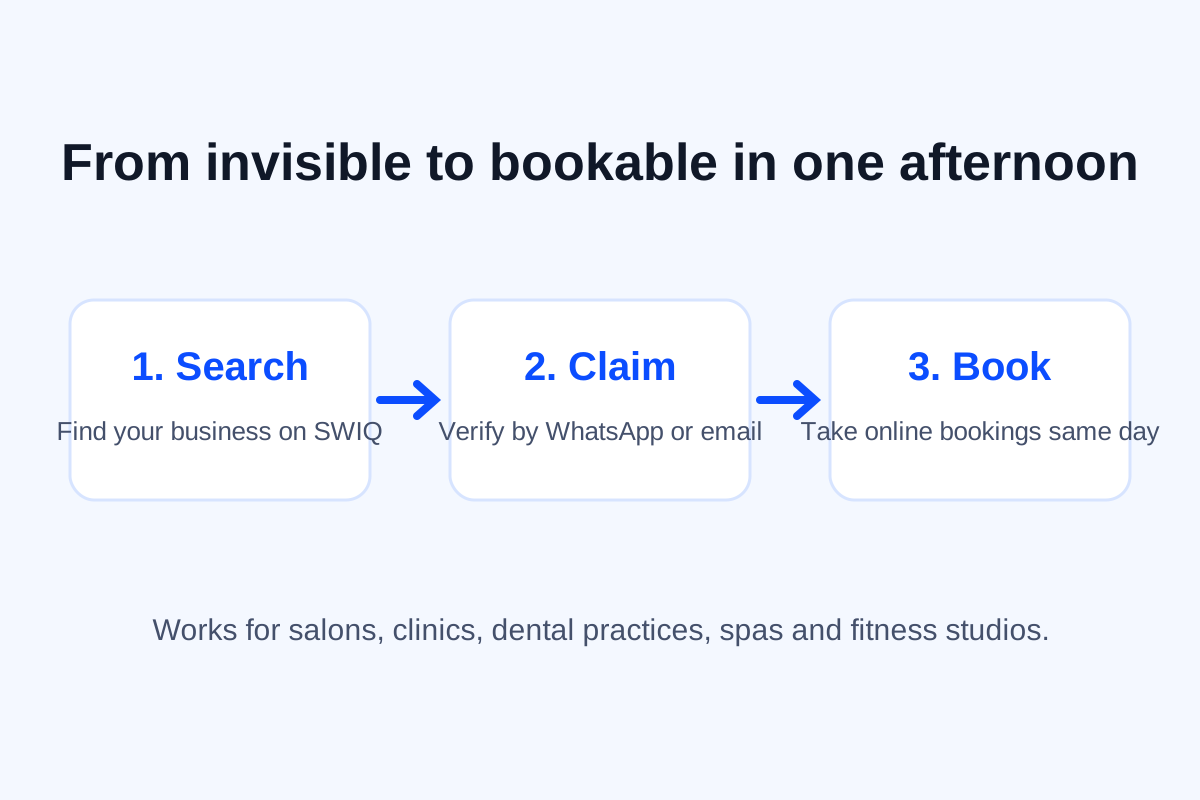
Verification protects your name: confirm the one-time code sent to your business WhatsApp number or email, and the listing becomes yours. From there add services, durations, prices and photos, choose your working hours, and publish. The same day your Lajpat Nagar listing accepts online bookings, live queue tokens for walk-ins, and sends WhatsApp reminders - no separate software, no per-booking commission, no developer.
What your SWIQ listing includes
Every Lajpat Nagar listing is a small website that happens to be bookable. Customers see your profile photo, address, services with prices and durations, your ratings, and a booking button - on any phone browser, with no app install. Behind it you get the operations side: a calendar of confirmed appointments, a live queue with tokens for walk-ins, and a status board your staff can actually maintain during a rush.
Notifications close the loop. Confirmations, reminders and turn alerts go out on WhatsApp, so no-shows drop and walk-ins arrive when their token is near instead of camping on your chairs. Payments and booking fees can be collected up front, reports show which services actually fill your day, and multi-branch owners get one dashboard across locations. In short: the customer-facing page is simple on purpose, and the machinery underneath runs the day.
Winning local search in Lajpat Nagar
When someone searches your business name, they should land on a page that lets them act. SWIQ gives every listed business its own address - the business name and city in the URL - so search engines and customers reach the exact booking page, not a generic directory. Keep your Google Business Profile link pointed at your SWIQ booking link, add the same hours and address everywhere, and ask happy customers for reviews; consistency across those three surfaces is what lifts a Lajpat Nagar business above the fold.
Google’s own guidance on appointment links in Business Profile recommends sending customers to a real booking experience - which is exactly what your SWIQ link is. And because SWIQ lists businesses fetched from Google Maps alongside claimed ones, being on SWIQ also means appearing inside the app's map, search and city rails where customers are already browsing.
Simple pricing for Lajpat Nagar businesses
SWIQ prices are flat monthly plans sized for local appointment businesses, with a free tier to start - and zero commission on bookings, which matters in Lajpat Nagar where margins are won in repeat visits, not in squeezing a percentage off every haircut or consultation. Payments can be taken via UPI and cards for booking fees and advance slots, and everything you earn is yours.
Setup costs nothing beyond your time: no hardware, no contract, no consultant. The schema.org vocabulary behind these pages (LocalBusiness) is the same structured data SWIQ publishes for your listing, which helps search engines understand your name, category and city - another quiet advantage of being listed.
Your first week on SWIQ in Lajpat Nagar
A calm rollout beats a big-bang launch. This is the week that turns a claimed profile into your default booking channel:
Day 1 - Claim and publish the basics. Search Lajpat Nagar on the SWIQ map or search bar, open your listing and tap Claim business. Verify with a one-time code on WhatsApp or email, then add your address, timings and cover photo.
Day 2 - Add services with real durations. Enter each service with the time it actually takes. Duration is what powers accurate slots and queue estimates, so a haircut that really takes 45 minutes should say 45 minutes.
Day 3 - Open availability for the next two weeks. Publish approved dates and shift hours before you invite a single customer. Only publish hours you intend to honour - a calendar that lies is worse than no calendar.
Day 4 - Share your booking link everywhere. Put your SWIQ link on Google Business Profile, Instagram bio, WhatsApp status and the board outside your shop. Every channel now feeds one calendar.
Day 5 - Turn on live queue and notifications. Walk-ins take a token, customers get WhatsApp updates, and your front desk stops playing human switchboard.
Day 6-7 - Review and adjust. Look at completed bookings, no-shows and peak hours, then adjust durations and capacity. Small weekly tweaks beat one big annual rethink.
By day seven you will know your real peak hours, your no-show rate and which channel sends customers - the numbers that make the second week easy to plan.
Frequently asked questions
What is book and list your business in Lajpat Nagar on SWIQ?
It means claiming your Lajpat Nagar listing on SWIQ and publishing your services, prices and availability so local customers can book you online, take a live queue token, and get WhatsApp updates instead of calling your reception.
How much does it cost to list my business?
Listing and claiming your profile is free to start. SWIQ's paid plans unlock online bookings, live queue tokens, notifications, payments and reports, with simple flat monthly pricing and no commission on your bookings.
Will my customers need to install an app?
No. Customers book from your SWIQ link in any browser - from Google, Instagram, WhatsApp or a QR code at your counter. They can also walk in and take a token without an account.
Can I migrate existing appointments to SWIQ in Lajpat Nagar?
Yes. Open your availability calendar, enter confirmed appointments once, and SWIQ handles the rest - reminders, live status and no-show tracking start from the very first booking.
Conclusion
Getting online in Lajpat Nagar no longer requires a website project or a developer on speed dial. To book and list your business in lajpat nagar, you search your name, claim the listing, publish honest availability - and the bookings, queue and WhatsApp updates run themselves from that evening. The 50 businesses already in the Lajpat Nagar directory did exactly that; some were even listed from Google Maps before their owner stepped in to claim them.
Start today: open the SWIQ app, search your business, and claim it while your category is still quiet. Or book a free demo and we will set your first services and hours up with you on a call.
Related SWIQ pages
See SWIQ in action
Run your real bookings on SWIQ for a week - chat flows, reminders, payments and live queues included.
Book a free demo