Why appointment booking in Jodhpur needs live queue tracking
Many Jodhpur customers still call a clinic, salon, office, or service counter to ask when they should come. That creates repeated phone calls, crowded reception areas, and confusion when a provider is running late. Appointment booking in Jodhpur should not stop at a form. A customer needs to know the available date, exact time slot, current serving token, and whether the provider is on time.
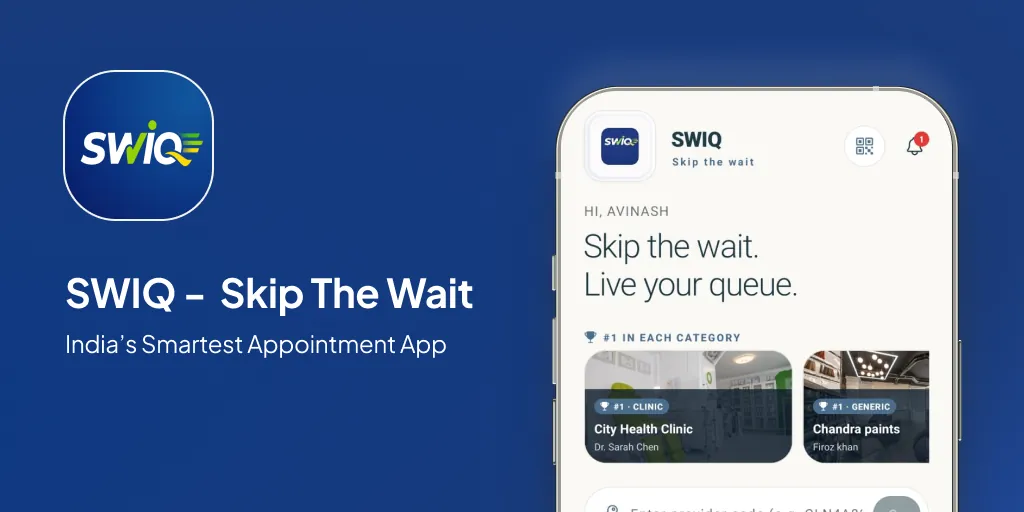
SWIQ is built for this daily reality. Providers open only the dates and slots they want to accept. Customers reserve an appointment and check live updates before leaving. If a doctor, stylist, consultant, or counter is delayed, the customer can see the delay instead of waiting blindly.
What customers can do with SWIQ
- Find a provider by QR code, service code, or shared booking link.
- Book exact time slots opened by the provider.
- See the appointment token and live queue status.
- Track delay updates before arriving at the location.
- Receive important booking and turn notifications.
- Reschedule or cancel where the provider allows it.
Provider features for Jodhpur clinics, salons and service businesses
For providers, SWIQ works as an appointment booking system and queue management dashboard. A business can manage its profile, gallery, QR code, availability, booking slots, live queue, walk-ins, staff access, notifications, and booking reports from one place.
- Date-specific availability instead of automatic 30-day bookings.
- Shift and slot controls for morning, afternoon, evening, and custom operations.
- QR booking so walk-in customers can open the correct profile quickly.
- Live token dashboard for staff and provider control.
- Delay tracking so customers understand what is happening now.
- Enterprise dashboard for multiple branches or sub-clients.
Local use cases for appointment booking in Jodhpur
SWIQ can support appointment-led and queue-led businesses across Jodhpur, including Basni, Sardarpura, Shastri Nagar, Chopasni Housing Board, Pal Road, Ratanada, and nearby service areas.
Best-fit local businesses
- Doctor clinics and OPD-style practices
- Dental, skin, ENT, eye, physiotherapy, and diagnostic centres
- Salons, grooming studios, spas, and beauty clinics
- Consultants and coaching offices
- Repair counters, service desks, document counters, and local offices
How to start with SWIQ in Jodhpur
- Create or request a provider account.
- Add your business name, owner/provider name, category, location, and gallery.
- Publish only the dates and shifts you want customers to book.
- Share your provider QR code and booking link on reception, WhatsApp, Instagram, and Google Business Profile.
- Use the live dashboard to call tokens, update delays, and close completed appointments.
For Google visibility, add the same SWIQ booking URL to your website and, if eligible, your Google Business Profile appointment link. You can also read our guides on online appointment booking, clinic booking systems, and queue management systems.
Use SWIQ for appointment booking in Jodhpur
Launch the app, create a provider profile, or contact SWIQ to set up appointment booking and live queue tracking for your Jodhpur business.
Launch SWIQ web appUseful official resources
Google explains how eligible businesses can add appointment links to Business Profiles, which helps customers move from Search or Maps to a booking page. India’s ORS portal also shows how online appointments are becoming familiar in public healthcare workflows.
Google Business Profile appointment links · ORS Patient Portal
Frequently asked questions
Can customers book Jodhpur clinic appointments with SWIQ?
Yes. Clinics can publish availability and customers can choose an available slot, receive a token, and track live queue updates.
Can salons in Jodhpur use SWIQ?
Yes. Salons can share QR booking links, publish stylist availability, manage walk-ins, and show live delay updates.
Does SWIQ replace the front desk?
No. SWIQ helps the front desk work faster by reducing repeated calls, making booking status clear, and keeping customers informed.